An Easy Way to Merge Photos in Your Browser
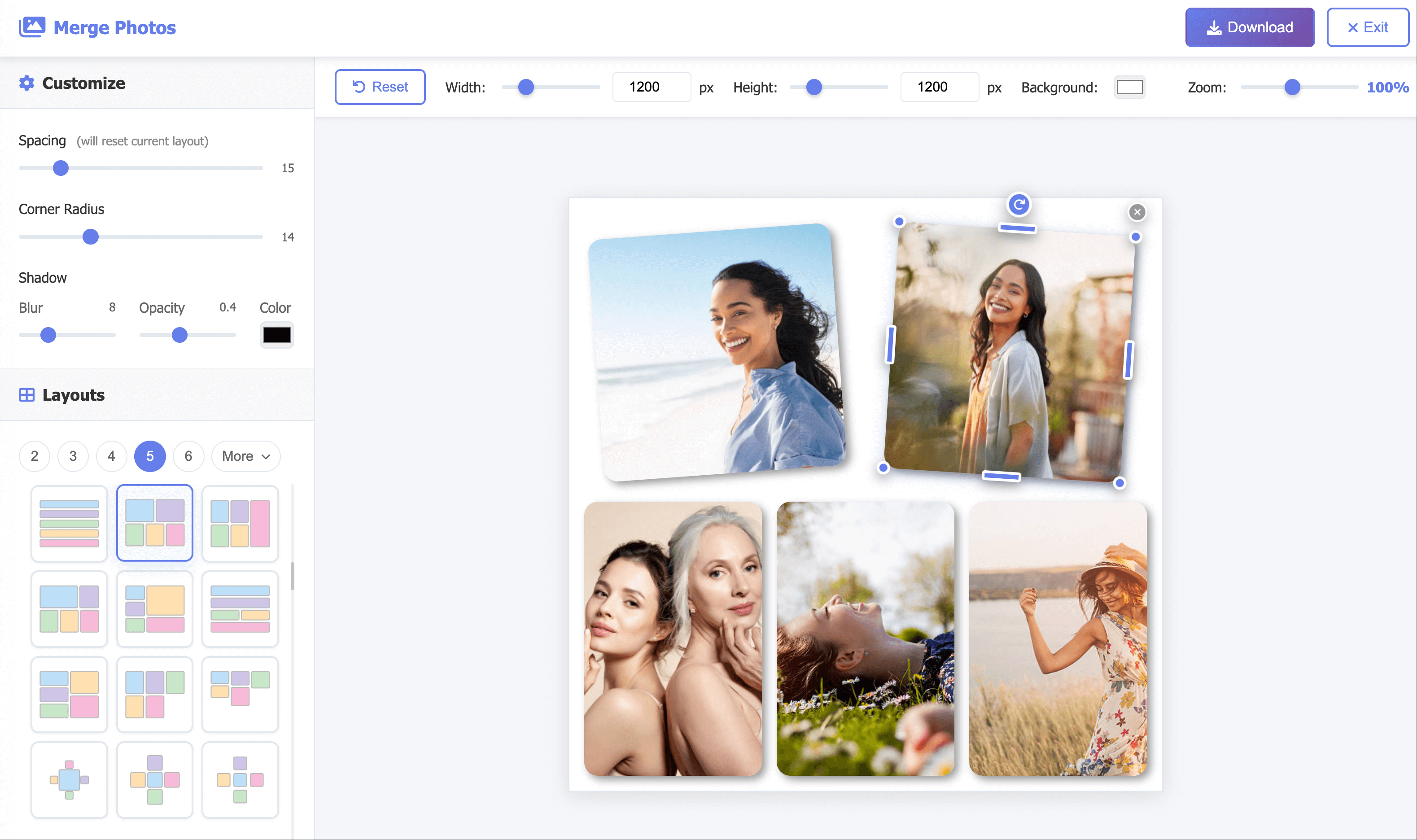
Merge Photos is a browser-based collage maker for combining 2 to 16 pictures into one image. Start with a ready-made layout—side by side, vertical stack, grid, or Auto—then drag, rotate, and resize each photo. Adjust spacing, corners, shadow, and canvas size in a live preview before you download.
How to Merge Multiple Photos Into One
1. Select Your Photos
Choose Select Photos and pick at least two JPG, PNG, or WebP files. Editing starts locally in your browser—no account required.
2. Pick a Layout and Arrange
Use Auto for a quick start or choose a template for your photo count. Drag, resize, or rotate each image so important details stay visible.
3. Customize and Download
Set canvas size, background, spacing, corners, and shadow, then choose Get Image. Free downloads are watermarked and lower resolution; a paid option unlocks watermark-free HD.
Popular Ways to Combine Photos
One merged image is easier to post, compare, and share than several separate files:
Side-by-Side Comparisons
Put two photos in one frame for before-and-after shots, product options, progress updates, or design alternatives.
Social Media Grids
Combine event, travel, or weekend highlights into one square, portrait, or landscape collage ready to post.
Memories and Portfolios
Collect family photos, trip scenes, or product angles in a single image that is easy to send or archive.
Steps and Print Sheets
Stack photos for recipes, tutorials, or timelines, or set custom canvas proportions for a keepsake or print layout.
Choose the Right Photo Layout
Use a horizontal two-photo layout for comparisons, a vertical stack for screenshots or step-by-step images, and a square grid when four or more photos need equal weight. If aspect ratios differ, start with Auto and refine the crops. Keep faces and labels away from edges; use narrow spacing for a continuous join, or wider gaps and rounded corners when each photo should feel separate.
Local Editing, Clear Export Choices
Selecting and arranging photos happens in your browser without signup. Uploading is only needed if you create a hosted share link. The free export includes a watermark and reduced resolution; a one-time paid download provides the same collage in watermark-free HD.